Show your shortcuts in
real-time
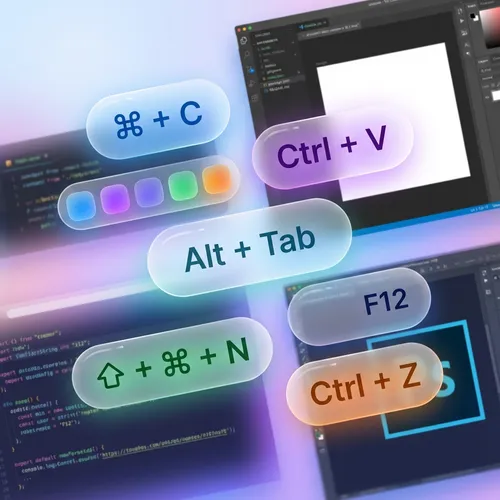
ScreenKey is the essential tool for presenters and instructors. Display your keys and shortcuts directly on screen so your audience follows every command.

Keys visible to everyone
Never repeat "I'm pressing Ctrl+C" again. ScreenKey automatically displays the commands you execute.
- Real-time display of keys and combinations
- Clean and highly readable design
- Support for international keyboards
Adapt to your style
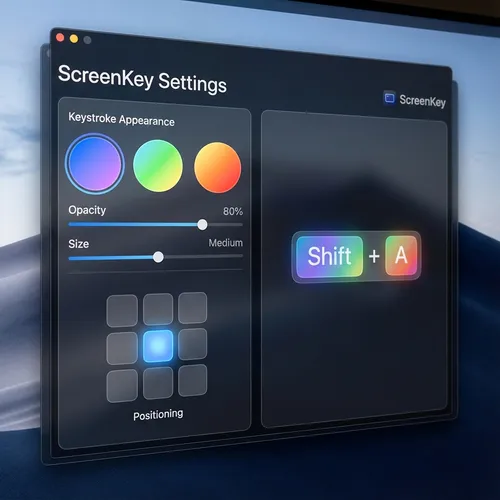
Customize where and how keys appear. Choose colors, sizes, and display time that best fits your brand.
- Flexible screen positioning
- Adjustable colors and transparency
- Sensitive key filtering (passwords)
Loved by Creators
See what our users are saying
"ScreenKey is perfect for my Photoshop tutorials. My students now know exactly which shortcuts I am using."
Ana Silva
YouTuber & Instructor
"I use it in all my code review meetings. It makes explaining complex terminal commands much easier."
João Duarte
Senior Developer
"Lightweight and does not interfere with computer performance. Essential for those who do productivity lives."
Carla Mendes
Tech Streamer
"The best tool for technical presentations. Setup is instant and the look is very clean."
Ricardo Lopes
Software Architect
"My Blender courses have become much easier to follow. The modifier key support is excellent."
Beatriz Soares
3D Designer
"Simple, elegant, and functional. Exactly what I needed for my remote classes."
Marcos Vinícius
University Professor
"ScreenKey is perfect for my Photoshop tutorials. My students now know exactly which shortcuts I am using."
Ana Silva
YouTuber & Instructor
"I use it in all my code review meetings. It makes explaining complex terminal commands much easier."
João Duarte
Senior Developer
"Lightweight and does not interfere with computer performance. Essential for those who do productivity lives."
Carla Mendes
Tech Streamer
"The best tool for technical presentations. Setup is instant and the look is very clean."
Ricardo Lopes
Software Architect
"My Blender courses have become much easier to follow. The modifier key support is excellent."
Beatriz Soares
3D Designer
"Simple, elegant, and functional. Exactly what I needed for my remote classes."
Marcos Vinícius
University Professor
"The best tool for technical presentations. Setup is instant and the look is very clean."
Ricardo Lopes
Software Architect
"My Blender courses have become much easier to follow. The modifier key support is excellent."
Beatriz Soares
3D Designer
"Simple, elegant, and functional. Exactly what I needed for my remote classes."
Marcos Vinícius
University Professor
"ScreenKey is perfect for my Photoshop tutorials. My students now know exactly which shortcuts I am using."
Ana Silva
YouTuber & Instructor
"I use it in all my code review meetings. It makes explaining complex terminal commands much easier."
João Duarte
Senior Developer
"Lightweight and does not interfere with computer performance. Essential for those who do productivity lives."
Carla Mendes
Tech Streamer
"The best tool for technical presentations. Setup is instant and the look is very clean."
Ricardo Lopes
Software Architect
"My Blender courses have become much easier to follow. The modifier key support is excellent."
Beatriz Soares
3D Designer
"Simple, elegant, and functional. Exactly what I needed for my remote classes."
Marcos Vinícius
University Professor
"ScreenKey is perfect for my Photoshop tutorials. My students now know exactly which shortcuts I am using."
Ana Silva
YouTuber & Instructor
"I use it in all my code review meetings. It makes explaining complex terminal commands much easier."
João Duarte
Senior Developer
"Lightweight and does not interfere with computer performance. Essential for those who do productivity lives."
Carla Mendes
Tech Streamer
Download for Windows?
Windows 10/11